Appointment colours based on service
By default, your appointment book will have colouring based on the service status. This is useful if you want to be able to see easily who has booked, arrived, or completed their service. However, you can also configure the colouring based on the service category. That way you can set the colours based on whether it is a haircut, hair colouring, nail treatment etc.
- Go to Settings via the left hand menu
- Click on Appointment General Settings option from settings
Choose the value Category for the Appointment Colours option
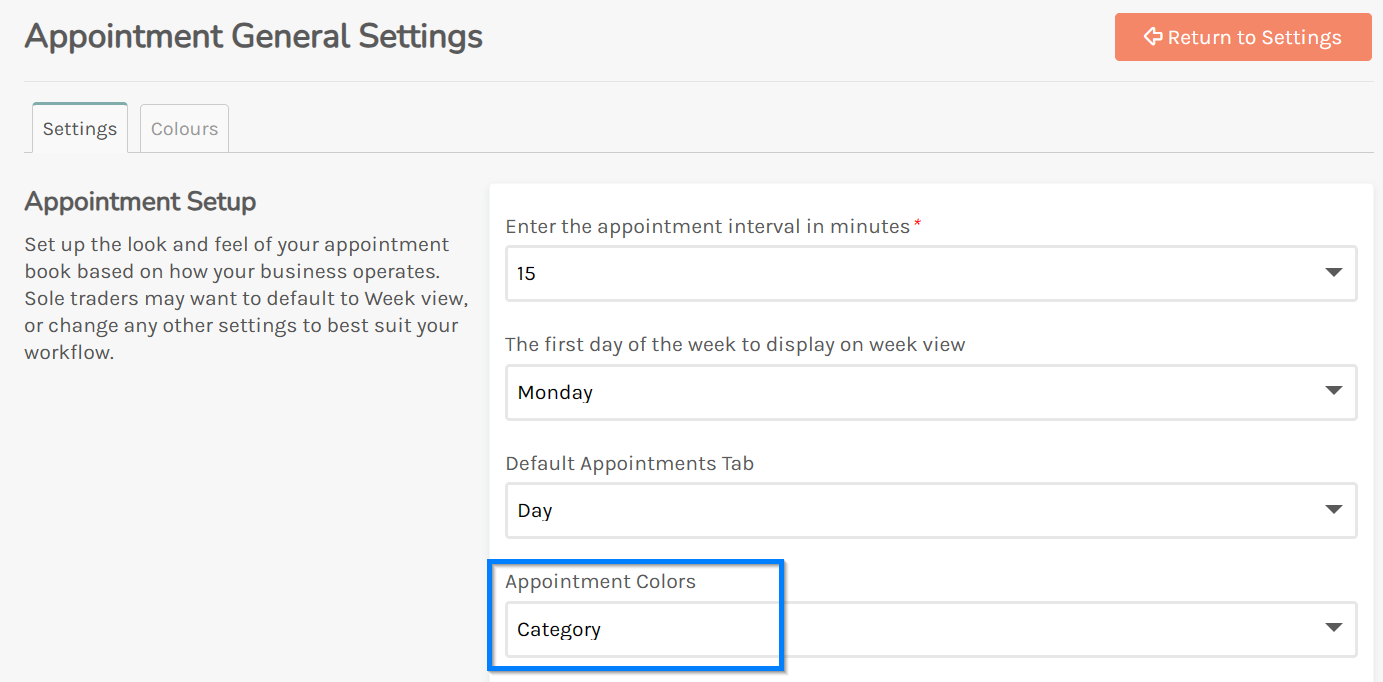
- Click Save to confirm these changes
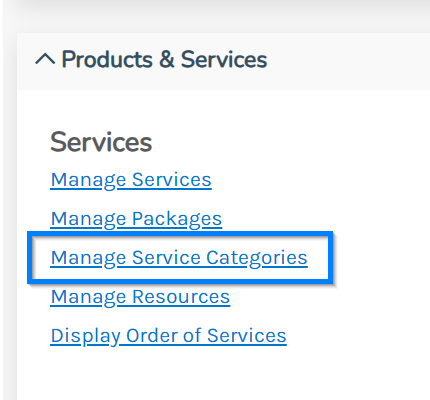
Once you have done this you will need to make sure your service categories have their own colours though, so while still in settings go to
Manage Service Categories in the Service section
Then click on each service you want to set the colour for and you can choose it here
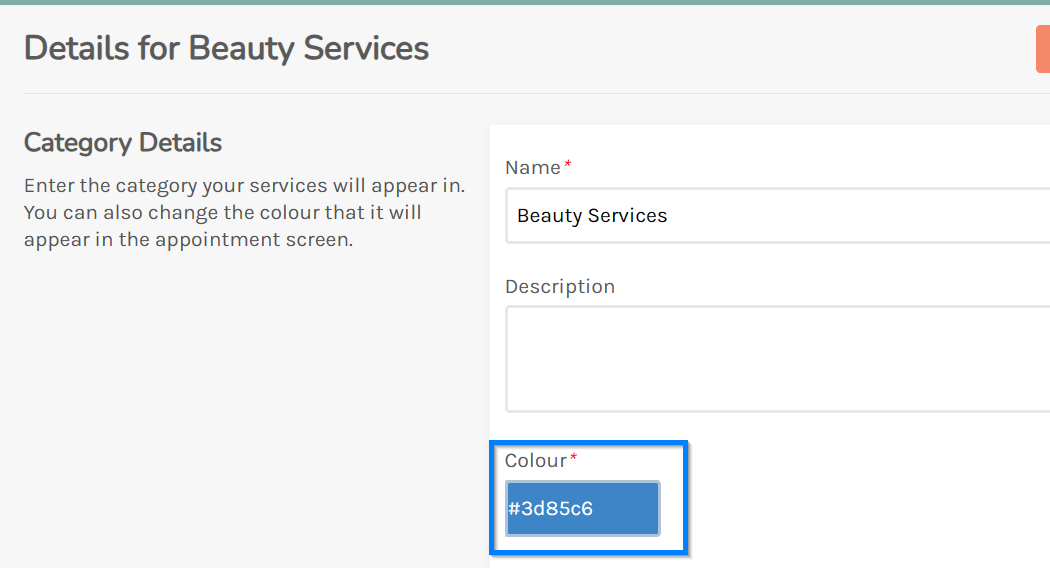
Click Save to confirm the changes
Now when you return to the appointment screen it will be coloured based on these categories.